Project overview
Truly Simple Tools
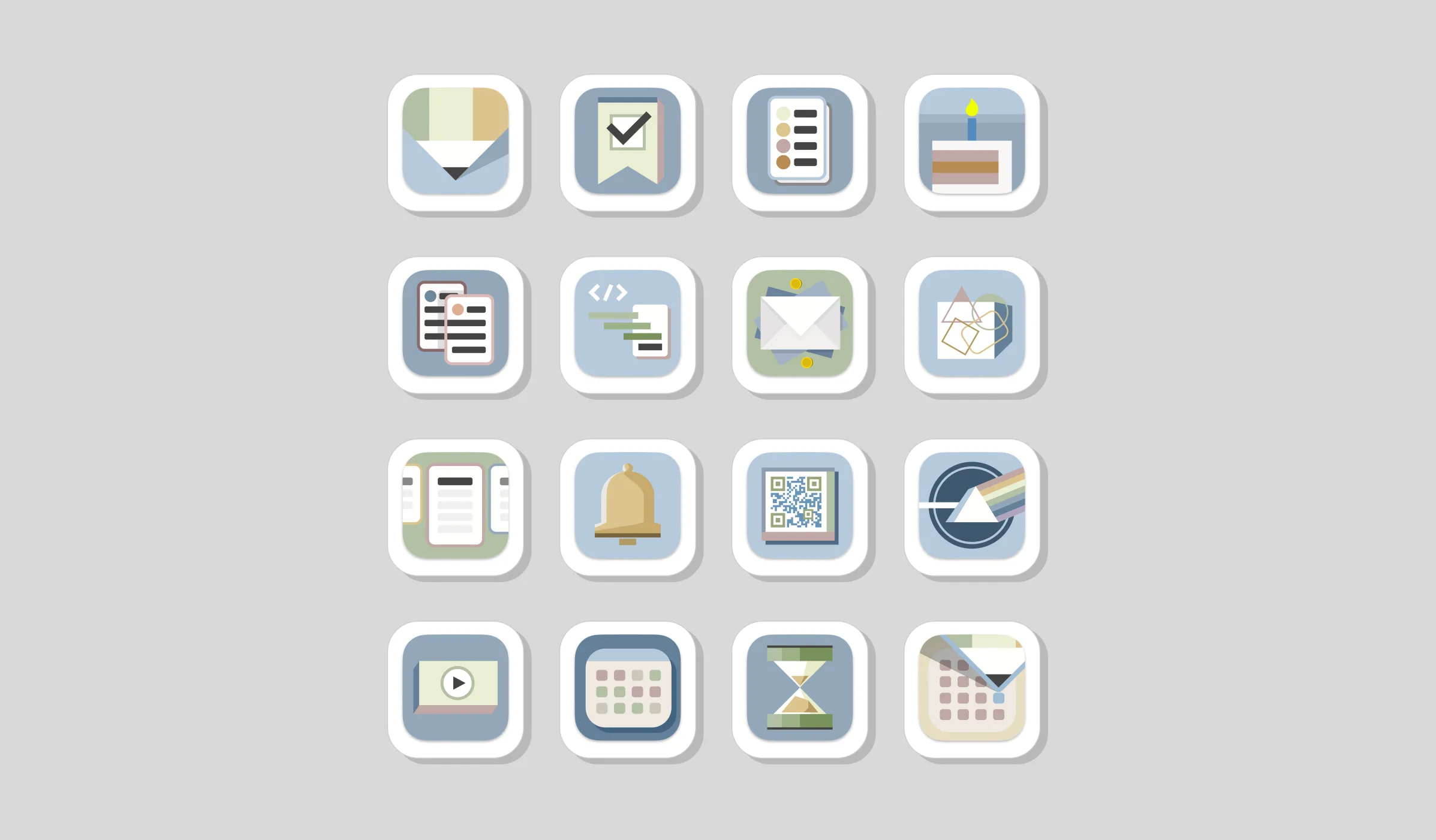
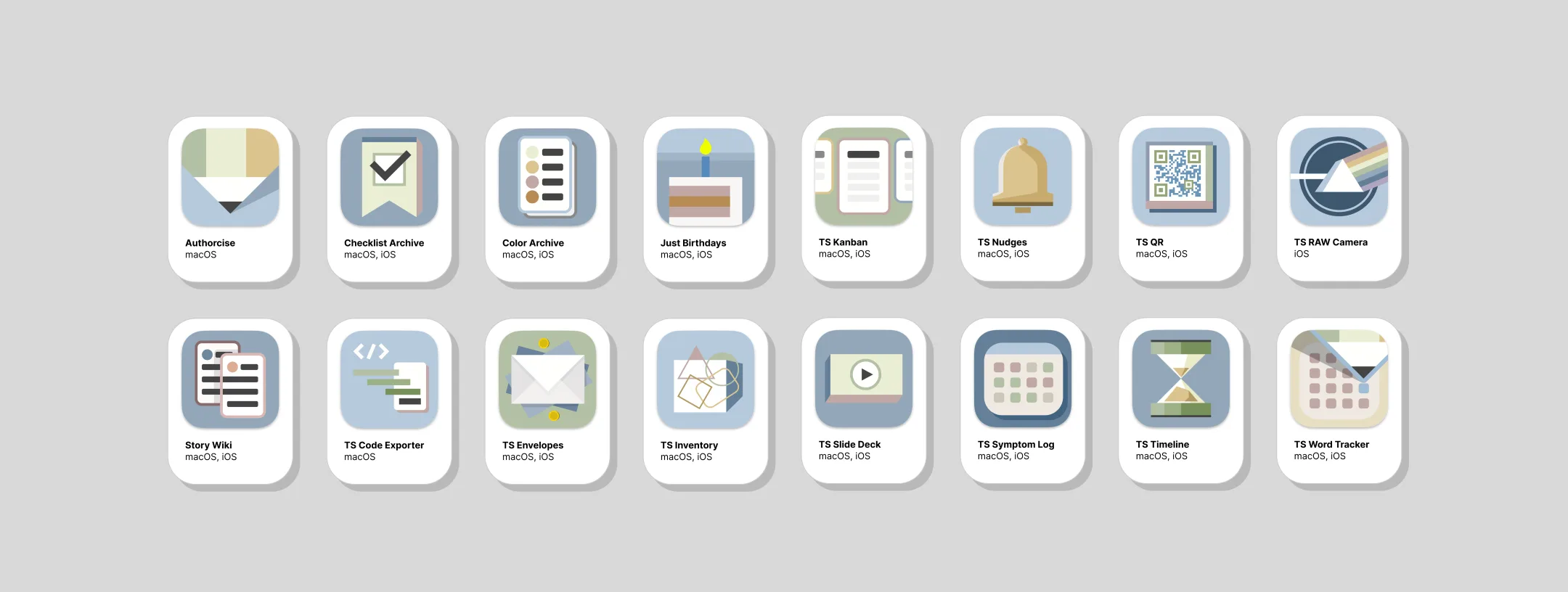
Eighteen apps, built and written by one person.
Why this catalog exists
The app market is crowded, and AI has made it cheap to produce one more tool. Most software tries to stand out by adding features, and Truly Simple Tools goes in the opposite direction.
When it’s easy to make usable software, the harder part is giving people a reason to trust what you’ve made. TST tries to build that trust with clear names, plain language, one-time pricing, limited scope, and software I can support myself.
The reference point: beloved store brands
I think of TST as something like a store brand: ALDI, Kirkland, Muji. These brands focus on the basics, price things fairly, and are trusted more than you might expect, in part because they’re consistent and upfront about what they are (and aren’t). TST isn’t trying to be the cheapest or the flashiest option; it’s aiming to be the one you reach for because it reliably does what you need it to do, and then gets out of your way.

One person, by design
I handle the brand, naming, interface writing, and development direction myself, which limits what I can sensibly build (and that’s actually pretty useful). I avoid features that would be expensive to maintain or difficult to explain to my less technical friends. The apps are made for individuals with specific jobs to do, and every user has my email address, which keeps the scope in check and the support relationship personal.
Putting the positioning to work
There are four places where that positioning shows up as concrete guidelines.
1. The voice
Truly Simple Tools should sound like a reliable neighborhood mechanic. It’s conversational, plain-spoken, and competent: it explains what happened, what the app did, and what you can do next, and then it stops talking. No exclamation points standing in for substance, and no personality pasted on for effect.
Three rules behind the voice
These principles help me filter every line of copy and microcopy before a new app ships.
1
Minimalist
Focus on the task at hand and nothing else. Cut every word that isn’t fighting for its right to exist. Sentence case, active voice, and no elaborate onboarding sequences.
- Use
- Simple, universal verbs
- Avoid
- Jargon, puns, acronyms
2
Practical
Speak to the user’s goal and the time it saves them. Front-load the words that matter so a skim still works, and say exactly what happens next.
- Use
- Action verbs: “Save image,” “Convert to PDF”
- Avoid
- “Submit,” “Click here”
3
Confident
Emphasize ownership, stability, and privacy. Say it once, clearly, and stop talking. Cordial and direct, never needy or hyperbolic.
- Use
- Calm, declarative statements
- Avoid
- “Please rate us!”, emojis
Where the voice sits on NN/g’s four dimensions of tone
The same voice has to survive the App Store listing, the first-run screen, an error message, and a support reply. That consistency is what makes eighteen separate tools feel related.
This, but not that
It also helps to name the ways this voice could go wrong, since most good traits become bad ones when pushed too far.
- Confident, but never arrogant.
- Plain-spoken, but never dumbed down.
- Helpful, but never overbearing.
- Simple, but never simplistic.
Voice in practice: error state
Rejected
“Oops! Something went wrong 😬 Don’t worry, our team is on it. Please try again later!”
Chosen
“That didn’t save, but your file is still here, unchanged. Try again, or check your connection if it keeps happening.”
Why: The rejected line tries to sound reassuring without actually telling you anything. A good mechanic doesn’t say “oops,” they tell you whether your car is okay and what to do next (and if there’s a real problem, they explain it without making you panic). The chosen line tells the user their work is safe, names the likely cause, and trusts them to take it from there.
Rules for the small stuff
Voice guidelines are easy to follow in a headline and easier to forget in an empty state or error message. I wrote rules for those recurring components so the copy would stay direct and helpful in the less glamorous corners of the interface.
| Pattern | TST writes | Not |
|---|---|---|
| Destructive confirm | Delete project The button names the exact action, paired with a “Keep project” option, never an ambiguous “Cancel.” | Yes, delete, OK |
| Empty state | Create invoice Say what belongs here, then offer the specific first action by name. | Get started |
| Settings toggle | Enable dark mode Positive statements only, checking a box should never be a double negative. | Disable light mode |
| Inline error | Add an “@” to your email address. Say what to fix without blaming the user. Avoid accusatory phrasing like “You entered an invalid…” | Invalid input |
2. The naming system
The “Truly Simple” naming convention makes the tools easy to spot in a crowded list of competitors. It is flexible when a product needs room to compete on its own terms: Authorcise and Story Wiki perform better without the prefix. The tagline “Good basic apps” says what the catalog is aiming for without dressing it up.
3. Pricing as a promise
Every app is free to try, with a single, lifetime Pro unlock when it earns its keep. No subscriptions, no ads, no tracking, and no analytics phoning home. Pricing is usually treated as a growth lever, but here it’s more of a statement of values: try it first, pay once, and it’s yours. For some people, this pricing model (and the way it’s explained) is the clearest and most convincing part of the TST brand.
4. Bare-metal Apple UI
Every app uses native system components when possible. This is an aesthetic choice, as each element looks calm and unmistakably at home on the platform. But it’s also a maintenance decision. Standard components are battle-tested, age well, and survive OS updates without demanding a redesign. For a one-person shop, not fighting the platform is how you keep a whole catalog of apps alive and functional.
What happened
Truly Simple Tools launched in May 2025, and since then the catalog has recorded 5,400+ first-time downloads by unique Apple IDs across 111 countries, all without paid advertising.
The numbers are still moving in the right direction, too. Daily downloads grew roughly 80% year over year. Monthly in-app “Pro” purchases more than doubled across the first five months of 2026. And about 1 in 18 downloads converts to a one-time Pro unlock, with no tracking and no pushy in-app upsells.
People can usually tell what an app does from its name, and can recognize it as part of the catalog. And once they open it, the writing and pricing back up what the name promised.
Zoom in: Truly Simple Nudges
TS Nudges is a tool for creating alerts and managing habits. The Apple ecosystem has a built-in constraint that limits each device to 64 notifications per app. This can complicate the habit-reminder experience, as some users may approach or surpass this limit with just a single custom nudge (a reminder that tells the user to look away from their device every 20 minutes will tally 37 notifications per work day, for instance).
Microcopy that illuminates the murky
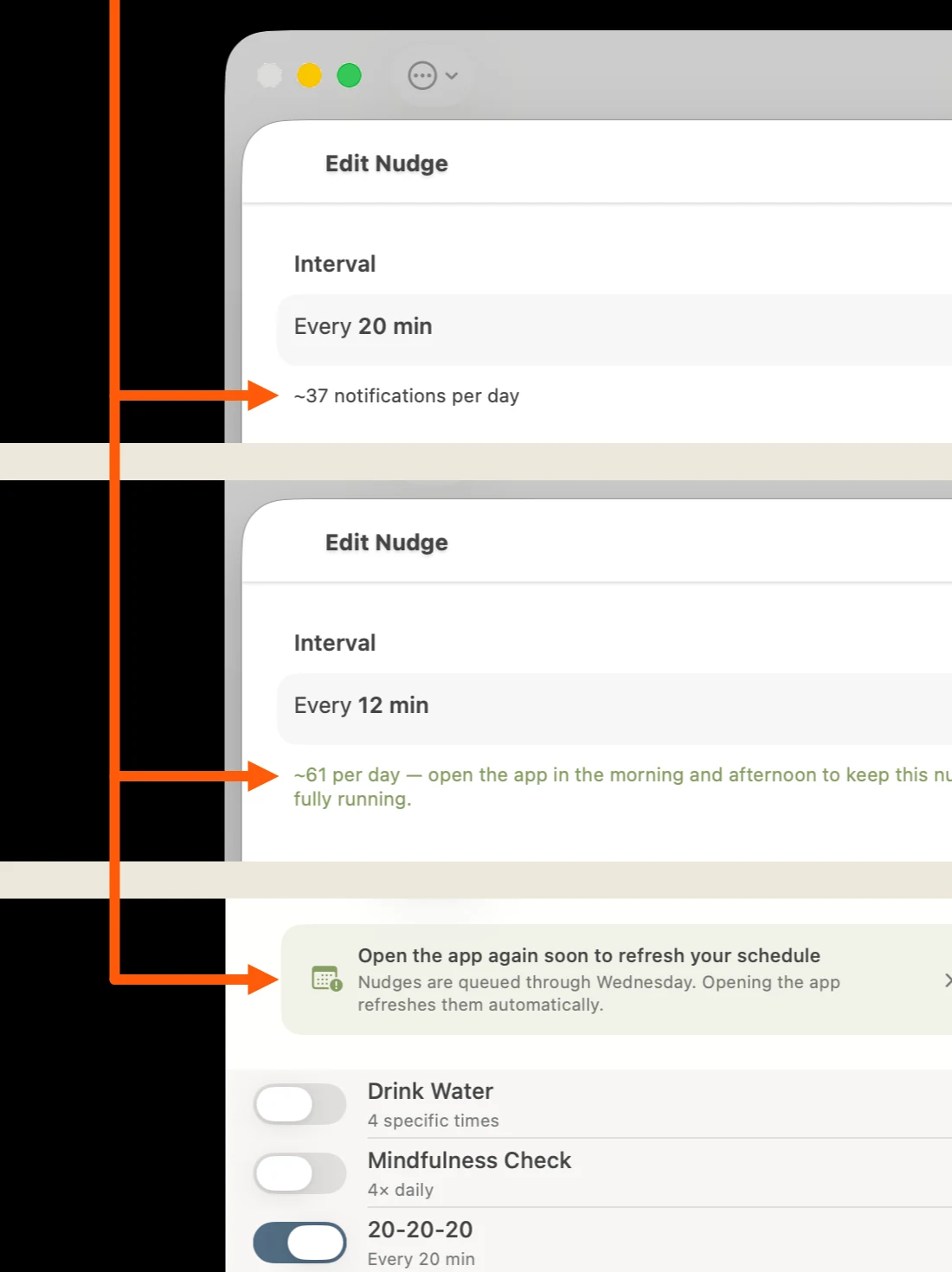
Users do not need to learn Apple’s notification system, but they do need enough information to avoid its limit. TS Nudges shows a live daily count as the interval changes, warns when the queue is getting full, and explains how to prevent an interruption. The main window also says how many days remain before the app needs to be reopened and the queue refreshed.
Voice in practice: informative & actionable
Rejected
“Reopen TS Nudges regularly to ensure reliable notifications.”
Chosen
“Nudges are queued through Friday. Opening the app refreshes them automatically.”
Why: The rejected version sounds vaguely threatening. The chosen copy gives the user a specific date, explains what happens next, and tells them what to do, without assigning blame.
UX and organization
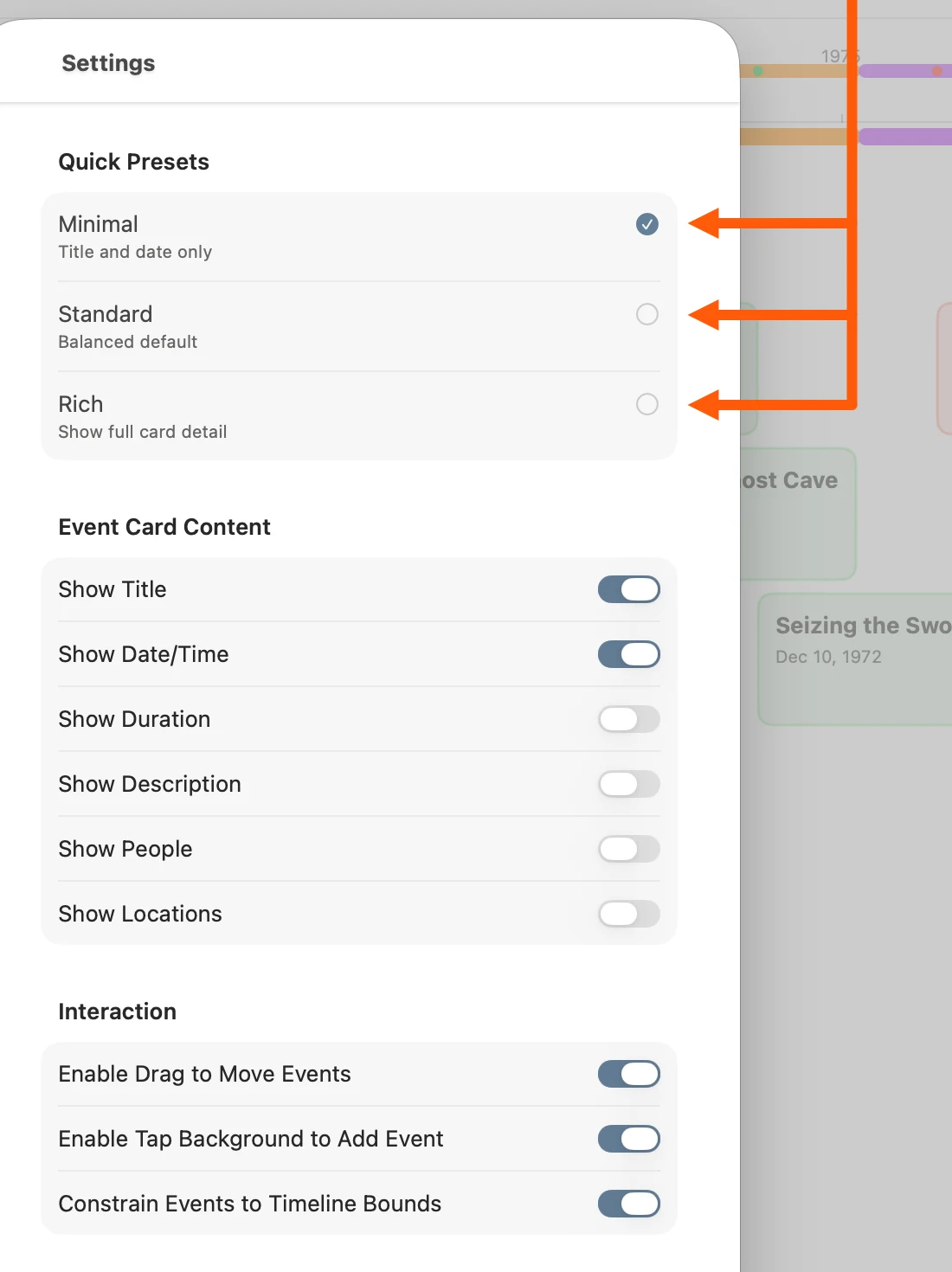
Truly Simple Timeline is a complex worldbuilding tool that helps writers and other creatives manage their narratives. Timelines can become intricate and sprawling, so clear, concise microcopy is essential to helping users understand their options without overwhelming them. Three presets give them a useful starting point: Minimal, Standard, and Rich.
What carries across the catalog
The apps do different jobs, but they make the same basic promise: clear purpose, calm language, no subscription pressure, and a person you can contact when something goes wrong.